
User guide
House Budget Calculator
Track household income, expenses and monthly savings with the House Budget Calculator.
What this tool does
The House Budget Calculator records household income and spending by category, then shows monthly savings and your savings rate.
Understanding your budget summary
Tap a number to explore each part of the screen.
Click a marker on the screenshot to learn what each part does.
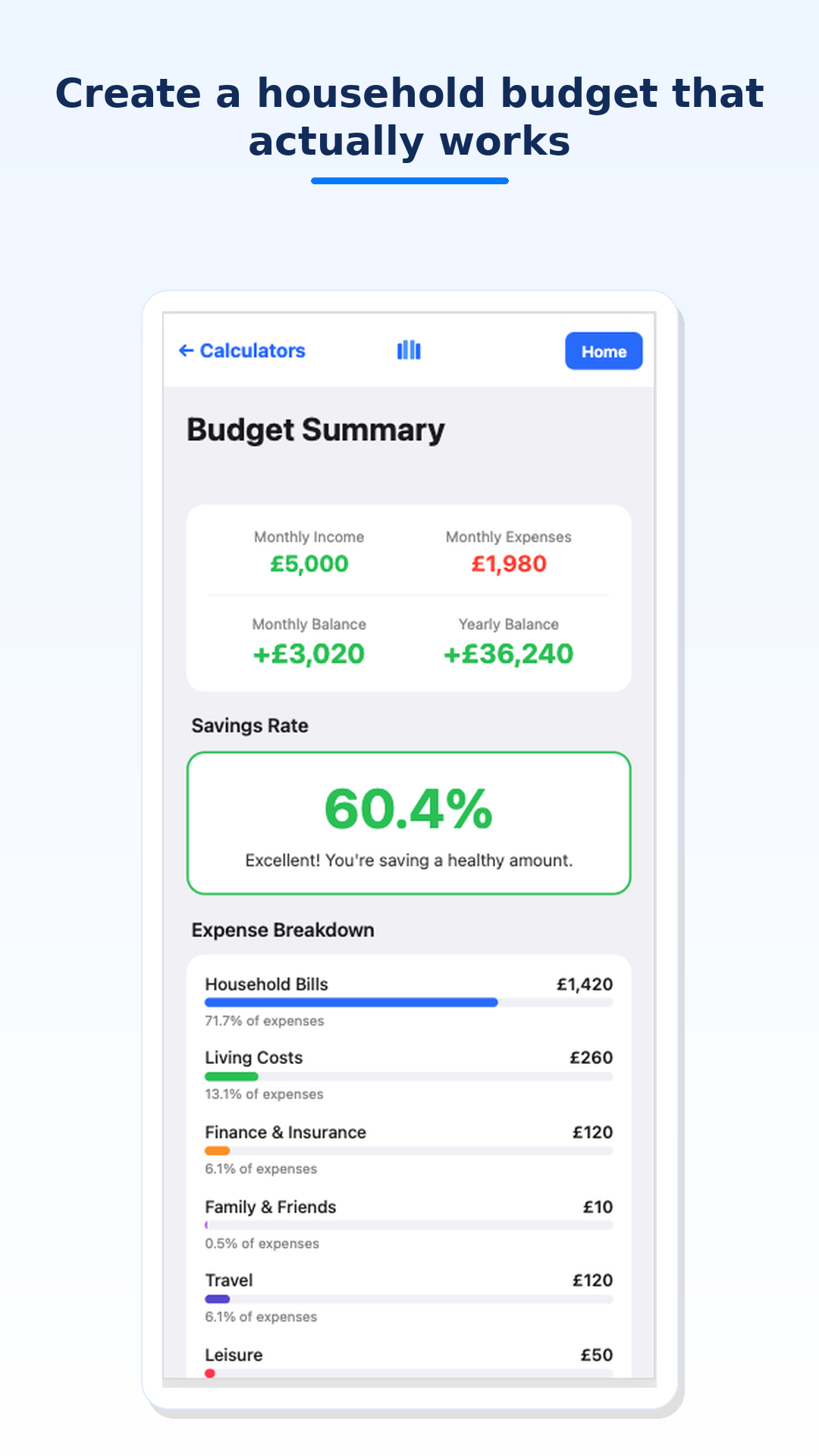
Monthly income
Total household income received each month before you allocate it to spending or saving.
Use after-tax income if that is what you actually spend from each month.
Understanding inputs
| Income | Salary, benefits and other money received each month. |
|---|---|
| Expense categories | Housing, food, transport, bills and discretionary spending. |
| Savings | Automatically calculated as income minus expenses. |
Understanding results
Your summary feeds Monthly savings on the Financial Health Snapshot. Category totals help you spot areas to adjust.
Worked example
Income: £5,000
Expenses: £1,980
Monthly balance: £3,020
Savings rate: 60.4%
Frequently asked questions
What is a good savings rate?
Many planners suggest 10–20% as a starting goal, but your target depends on your goals and costs.
Should I use net or gross income?
Use the amount you actually receive if that is how you manage cash flow.
Can I use estimated values?
Yes. Refine categories when you have exact figures.
How often should I update my budget?
Monthly is ideal; at minimum after income or major expense changes.
What if my expenses exceed income?
The calculator will show a negative balance — a signal to review spending or income.
Download MoneyMap Pulse
Try this tool on Android and build your financial picture step by step.
Get it on Google Play