
User guide
Financial Health Snapshot
Learn how the Financial Health Snapshot dashboard brings together savings, net worth, risk profile and retirement readiness.
What this tool does
The Financial Health Snapshot is your personal dashboard. It pulls saved results from other calculators into one view so you can see savings, wealth, risk and retirement readiness at a glance.
Understanding your dashboard
Tap a number to explore each part of the screen.
Click a marker on the screenshot to learn what each part does.
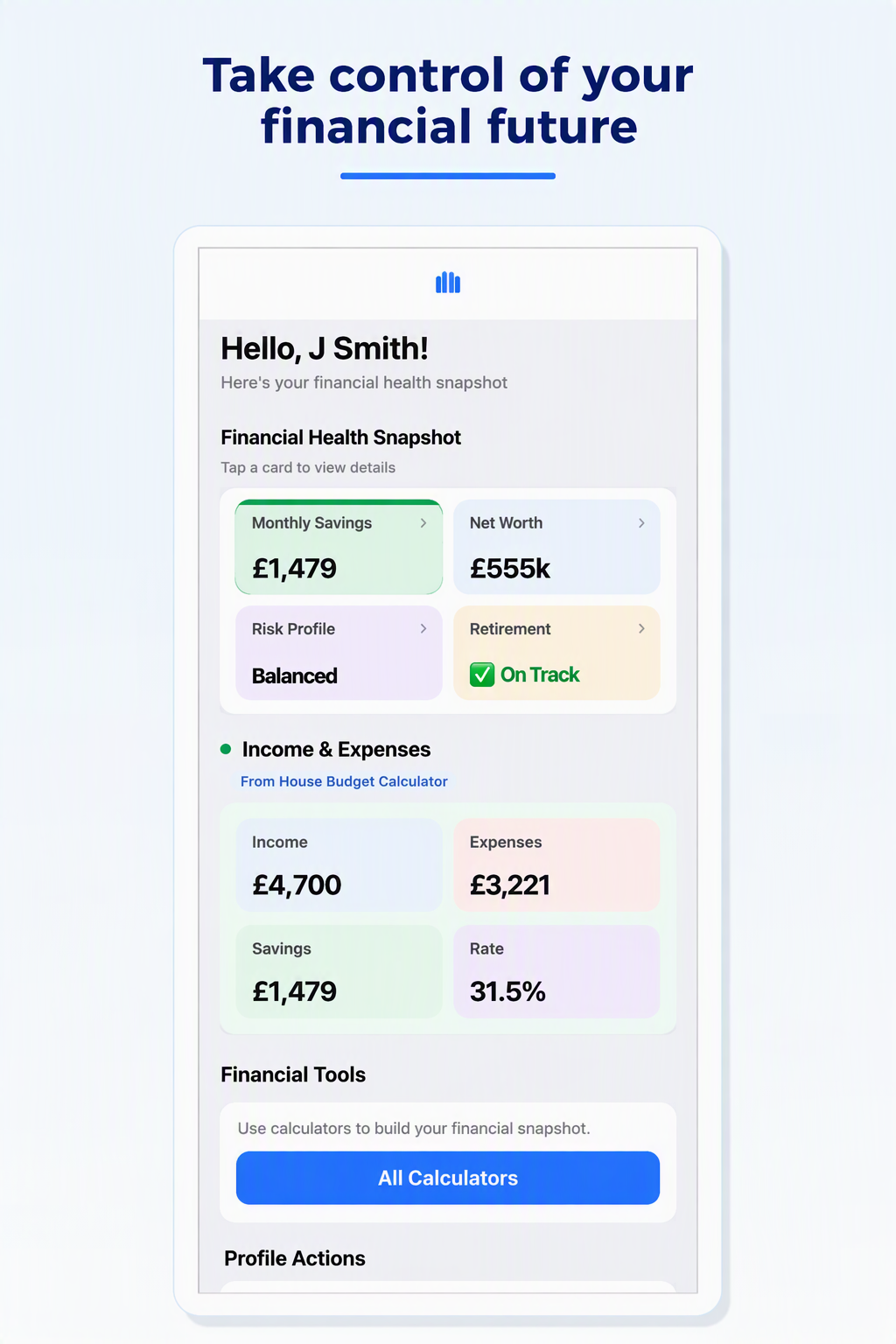
Monthly savings
Shows how much money remains after expenses are deducted from monthly income — your household cash surplus each month.
Higher monthly savings can improve retirement readiness and long-term wealth building.
Where this data comes from
Complete calculators in this order to populate your dashboard.
Understanding inputs
You do not type into the snapshot directly. Complete and save the House Budget, Net Worth, Portfolio Return and Retirement calculators first.
Understanding results
On track means your projected retirement fund meets or exceeds what you need. Shortfall means you may need to adjust savings, retirement age or spending assumptions. Tap a card to open its detail view.
Worked example
Monthly savings: £1,479 (from budget)
Net worth: £300,000
Risk profile: Balanced
Retirement: On track
Frequently asked questions
Why is a dashboard card empty?
Save results in the linked calculator first. The snapshot only shows saved data.
How often should I update my information?
Review monthly or after any major change to income, spending, assets or retirement plans.
Can I use estimated values?
Yes for planning. Replace estimates with actual figures when you have them.
Do I need an account?
No. Data stays on your device.
What should count as retirement income?
Include pensions, investments and other income you expect in retirement — only if you entered them in the Retirement Calculator.
Download MoneyMap Pulse
Try this tool on Android and build your financial picture step by step.
Get it on Google Play